Really great drawing of Majestic Star Dragon from Apollo (8 years old)! 🙂
See more fan art here!
Really great drawing of Majestic Star Dragon from Apollo (8 years old)! 🙂
See more fan art here! 
ICECUBES the comic strip. #0290
Majestic Star Dragon
Really great drawing of Majestic Star Dragon from Apollo (8 years old)! 🙂
See more fan art here! Cool Pickles :)
 Yeah, more random stuff. Part of the ‘Cool Pix’ series. I like the cartoony pickle.
 ‘Cool’ Gum.
 Look at what I found the other day at some random store. Although it’s sure to be ‘cool’ gum they probably are not aware that ICECUBES is a registered trademark. Seriously, I’ll sue them for all their bubbles 😉
 How To Draw Comics. Tracing & Transfers: Part 3.
See Part 1 and Part 2 to catch up.
This is the back side of your tracing.
 Once you have blacked the back of your tracing paper, you are now ready to transfer your drawing. Remember, you only need to black the area that corresponds to your drawing.
 Now you can flip the tracing over and start transferring your drawing! Place your tracing in the exact spot on your strip were you want the drawing to appear. Now trace your drawing, paying close attention to the lines that you want to capture. A lot of times you don’t need to put in a lot of detail. In my case I was just after the gesture and proportions of my original sketch.
 Presto! There is your original drawing, exactly where you want it on the page! It’s a great trick and I use it when I feel the need for speed! Looks great doesn’t it? Be sure you don’t dig in too much with your pencil just in case you need to erase and reposition your drawing.
 I don’t consider this cheating by the way, since I drew the original drawing. It’s just that I drew it on my sketch pad and wanted to place it at the right spot inside my comic strip. Here are some examples of drawings I transferred recently.

Once you have blacked the back of your tracing paper, you are now ready to transfer your drawing. Remember, you only need to black the area that corresponds to your drawing.
Now you can flip the tracing over and start transferring your drawing! Place your tracing in the exact spot on your strip were you want the drawing to appear. Now trace your drawing, paying close attention to the lines that you want to capture. A lot of times you don’t need to put in a lot of detail. In my case I was just after the gesture and proportions of my original sketch.
Presto! There is your original drawing, exactly where you want it on the page! It’s a great trick and I use it when I feel the need for speed! Looks great doesn’t it? Be sure you don’t dig in too much with your pencil just in case you need to erase and reposition your drawing.
I don’t consider this cheating by the way, since I drew the original drawing. It’s just that I drew it on my sketch pad and wanted to place it at the right spot inside my comic strip. Here are some examples of drawings I transferred recently.
How To Draw Comics. Tracing & Transfers: Part 2.
So you have selected the drawing you want to transfer. The next step is to trace it.
 Note the tracing paper and original drawing are taped to the table to prevent slipping (orange arrow). Now carefully trace your drawing using a soft pencil. Do not make deep lines or dig into the paper, you just want a nice outline.
 Once the tracing is done, it’s time to prepare the transfer. Turn the tracing over. Using a very soft pencil (3B or more) apply lead to the underside of your tracing. The best way is to use the flat of your lead (using charcoal is fine too).
 Tomorrow we’ll do the transfer! Stay tuned. 🙂
Read Part 1 here!
Read Part 3 here!
Tomorrow we’ll do the transfer! Stay tuned. 🙂
Read Part 1 here!
Read Part 3 here!
Note the tracing paper and original drawing are taped to the table to prevent slipping (orange arrow). Now carefully trace your drawing using a soft pencil. Do not make deep lines or dig into the paper, you just want a nice outline.
Once the tracing is done, it’s time to prepare the transfer. Turn the tracing over. Using a very soft pencil (3B or more) apply lead to the underside of your tracing. The best way is to use the flat of your lead (using charcoal is fine too).
Tomorrow we’ll do the transfer! Stay tuned. 🙂
Read Part 1 here!
Read Part 3 here!
How To Draw Comics. Tracing & Transfers, part 1.
As mentioned last week, here’s a cool trick to use when trying to copy or transfer a drawing. Often you will practice a drawing a few times to get it right, a lot like a musician practices a riff to get the ‘swing’ of it. When you get that drawing right, you can keep practicing it to memorize it, or if you are on a tight deadline (like I often am) you can transfer it.
 Here is a practice sheet of Freeze walking. After several attempts I got a drawing I liked (circled in blue). In part 2 I will show you how to trace it then transfer it to your comic. Tune in tomorrow for part 2.
Here is a practice sheet of Freeze walking. After several attempts I got a drawing I liked (circled in blue). In part 2 I will show you how to trace it then transfer it to your comic. Tune in tomorrow for part 2. Tracing & Transfers.
 Here’s a tracing I did of Freeze walking. I did it because I had done a great drawing that I wanted to copy. Next week I’ll explain how you can use tracing paper to transfer your drawing. It’s easy! 🙂
 A Fun Cartoon Crew!
Look at this fun crew of cartoon characters! These are just some of my son Apollo’s favorites. Can you name them all? 🙂

More Inuit Masks.
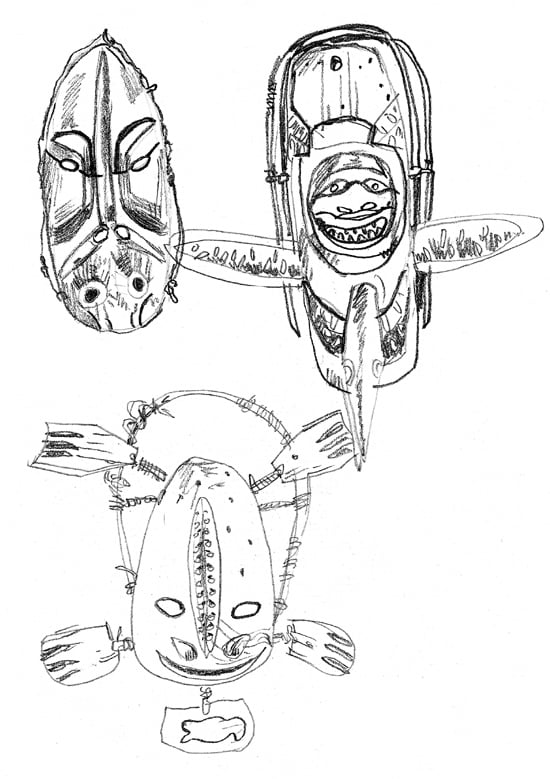 Here are some more Inuit masks! 🙂
 Inuit Mask.
I recently went to a really neat exhibit of Inuit artifacts from 100 years ago. I made some sketches of the masks. Here’s one. Hopefully I can use it in the comic strip. 🙂

Jack & Jill.
Does anyone remember this cute magazine from a long, long time ago…?
I love the walrus 🙂

Working on the Book!

So after dreaming for years about making a real ink and paper book of ICECUBES the comic strip and finally being just about ready to pull the trigger, guess what happens? Border’s goes bust and closes all its stores, the book business crashes, printers stop printing books, paper mills close and stop making paper and generally speaking people stop reading books! What a time to put out a book. 🙁 But I remain optimistic that there is an audience out there that would like to hold the real thing in their hands, share it with their friends and enjoy having it on their bookshelves as a nice well crafted collectors item. That’s why even though printing a book has become ever harder and expensive, in complete contradiction to the laws of supply and demand by the way, I’m still hard at work on the first ICECUBES book. Of course those of you who follow ICECUBES know that Vol. 1 & Vol. 2 are available exclusively on the Kindle. So stay tuned and get ready to pre-order your limited edition, real ink and paper, signed and numbered collector’s edition of ICECUBES the Book! Leroy Brown
New ICECUBES Book Vol. 3!

New ICECUBES T-Shirt! *** 12 awesome colors!

Latest ICECUBES Comics!
-
1

ICECUBES the comic strip #370
66 36958 May 13, 2026
-
2

ICECUBES the Comic Strip #369
27 9132 Apr 09, 2026
-
3

ICECUBES Vol.3 “The Stuff of Dreams!” Now Available!
211 36326 Dec 13, 2025
-
4

ICECUBES the Comic Strip #368
59 31211 Nov 03, 2025
-
5

ICECUBES in Japanese!
29 35944 Oct 06, 2025
-
6

ICECUBES the Comic Strip #367
50 36451 Sep 07, 2025
-
7

ICECUBES the Comic Strip #366
20 27755 Aug 14, 2025
-
8

ICECUBES the Comic Strip #365
15 17173 Jul 31, 2025
-
9

ICECUBES the Comic Strip #364
13 15638 Jul 18, 2025
-
10

ICECUBES the Comic Strip #362
13 13682 Jul 11, 2025
ICECUBES vol.2 comic book now available as a digital download for only $1.99! Click on the picture!


Click here to get all the great classic ICECUBES comic strips and exclusive behind the scenes blog posts!
Top Ten ICECUBES comics!
-
1

ICECUBES the comic strip #359
102 89108 Jul 05, 2024
-
2

ICECUBES the Comic Strip #363
99 69540 Apr 24, 2025
-
3

ICECUBES the comic strip #360
85 55600 Oct 18, 2024
-
4

Sad…
63 39723 Feb 12, 2025
-
5
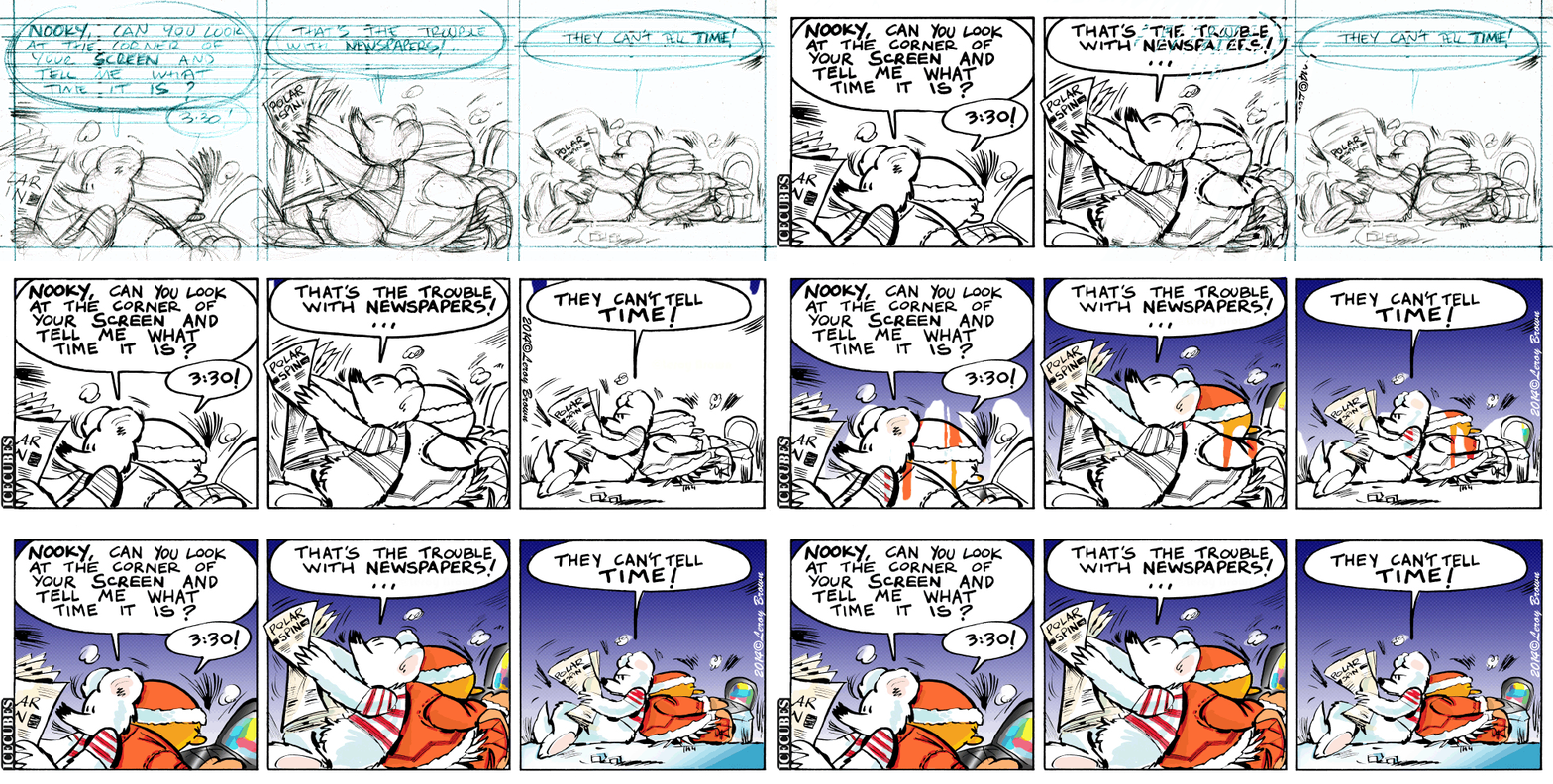
ICECUBES the comic strip #0236 Animated!
88 38631 Mar 10, 2014
-
6
ICECUBES the comic strip #370
66 36958 May 13, 2026
-
7
ICECUBES the Comic Strip #367
50 36451 Sep 07, 2025
-
8
ICECUBES Vol.3 “The Stuff of Dreams!” Now Available!
211 36326 Dec 13, 2025
-
9
ICECUBES in Japanese!
29 35944 Oct 06, 2025
-
10

ICECUBES the comic strip #353
72 31587 Mar 29, 2024